
Dishwasher not draining: what to check before you call
Published
Updated
5 min read
Water covering the dishwasher floor after a completed cycle can reflect filter debris, a restricted drain path, household plumbing or pump operation. A small amount in the recessed sump on some models is different from a tub full of standing water. Check the manual before treating all visible water as a fault.
Owner checks should stay with the controls, accessible filter and visible connections. Do not reach into pump mechanisms or remove wiring covers. If the appliance leaks onto the floor, stop using it; preventing water damage and avoiding electrical hazards matter more than finishing a wash cycle.
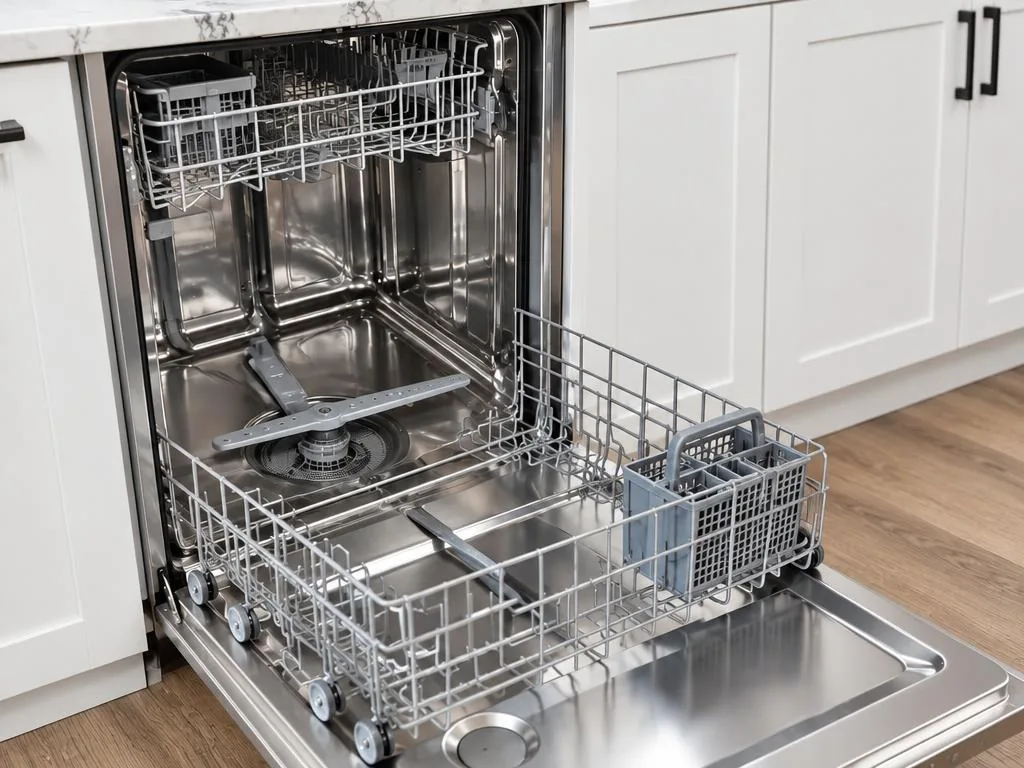
1. Identify where and when water remains
Record whether the cycle completed, stopped with a code or was canceled. Check whether water is only below the filter area or covers the tub floor. The manual may describe normal retained sump water. Take a photograph from above without putting your hand into cloudy water.
Standing water after a partial cycle does not necessarily mean the pump failed. Controls may have stopped for another reason, and a drain restriction can be outside the dishwasher. Note any recent sink drainage trouble or installation change. Those details are useful without removing the appliance or running another leaking cycle.
2. Check normal cancellation instructions
Read the exact model’s instructions for canceling a cycle or starting a normal drain function. Do not assume holding a button for a generic number of seconds is correct. Observe the display and retain any message before clearing it through the permitted procedure.
Do not repeatedly command a pump that sounds strained or operate a leaking dishwasher just to see whether it eventually drains. A brief normal drain command, where the manual allows it and there is no leak or hazard, is different from repeated diagnostic cycling. Stop when the same problem returns.
3. Clean only the owner-accessible filter
Locate the manual’s filter removal and reinstallation directions. Allow heat to subside and follow the required power precautions. Remove loose food debris only from areas intended for owner cleaning; debris may be sharp, and cloudy water can conceal glass or broken dishes.
Rinse and reinstall the filter exactly as directed. A filter that is not seated correctly can affect operation. Do not extend filter cleaning into pump-cover removal or hidden impeller access. Bosch’s drainage guidance stresses following the manual and considering sharp debris; a conservative check can stop at normal filter care.
4. Look for related sink drainage trouble
Observe whether the sink drains normally and whether a disposal or other plumbing fixture was recently changed. A shared drain path may have an obstruction or connection issue separate from the dishwasher pump. Mention a new installation or change when arranging help.
Do not disconnect plumbing, remove a disposal inlet plug or put your hand inside a garbage disposal. Those actions can introduce water and electrical hazards. A slow sink, backing-up drain or overflow may call for a plumbing assessment. Appliance service should not assume that replacing a pump fixes household drainage.
5. Inspect only visible accessible routing
If the drain hose is already visible inside an adjacent cabinet, note an obvious pinch or kink without undoing connections. Do not pull a built-in dishwasher out of cabinetry, remove the toe panel or alter the hose arrangement based on an unrelated installation diagram.
Routing requirements depend on the model and installation. A concealed restriction cannot be ruled out just because one hose section looks normal. The technician can assess the appropriate appliance drain path and identify when plumbing work is separate. Photograph accessible routing if it helps describe the situation without exposing private household details.
6. Gather the right information
Find the model label on the accessible door edge or the location identified by the manual. Note the cycle, exact message, quantity and location of water, any leak and recent plumbing changes. Describe whether the unit is panel-ready, a standard built-in or a drawer dishwasher.
For a drawer model, state which drawer is affected and whether the other operates normally. Safe access and model-specific parts matter. Leave hidden mechanisms closed while waiting; a technician can distinguish drain-pump operation, internal restrictions and outside plumbing issues without assuming a cause from standing water alone.
When to call a pro
Call when the tub remains full after allowed filter and control checks, water leaks, a code returns or pump noise changes. Stop use to protect flooring. A household sink backup may require plumbing help rather than an appliance component replacement.
The diagnosis should establish where drainage is failing and whether the remedy belongs to the dishwasher or its connections. Prosperium explains the findings and quote before work. The full model number, access and parts availability determine the repair scope, not a generic online drainage label.
In-home service around our Belmont base
Frequently asked questions
Does a symptom or error code identify the failed part?
No. It identifies an observed or detected condition that may have several causes. The model, operating history and appropriate testing determine the diagnosis. Do not buy a component or open the appliance based only on a similar online example.
Should I keep resetting the appliance?
Use only a reset explicitly permitted in your exact owner’s manual. Repeated resets can hide the sequence of events without correcting a restriction or failed component. Stop and arrange service if the fault returns, and stop use immediately for a safety concern.
What should I include in a service request?
Provide the complete model if safely available, the affected function, when the problem began and any exact display message. Mention leaks, odors, access restrictions and the owner-permitted checks already tried. Sending a request is followed by confirmation of availability and a visit time.